Xiaomi Mi WiFi Router Mini Instrukcja
Oto Xiaomi Mi WiFi Router Mini (router) instrukcja użytkownika. 4 strony w języku Angielski o wadze 0.3 Mb. Jeśli nie możesz znaleźć odpowiedzi na swoje pytanie Zapytaj naszą społeczność.
Strona 1/4
小米路由器
小米路由器
小米路由器
小米路由器小米路由器 (
(
(
(( )初始化
)初始化
)初始化
)初始化)初始化 置
置
置
置置 刷机流程
刷机流程
刷机流程
刷机流程刷机流程mini r1c 设
设
设
设设 &
Process of Initialization settings & upgrading firmware in handset for r1c
Attention:don t cut off the power during the whole process ’
Step 1:connect the router to the power supply and cut the cable into the Internet port on
the router (the blue one)
Step 2:connect your computer to the wifi named xiaomi or with a cable to the LAN “ ”
port on the router
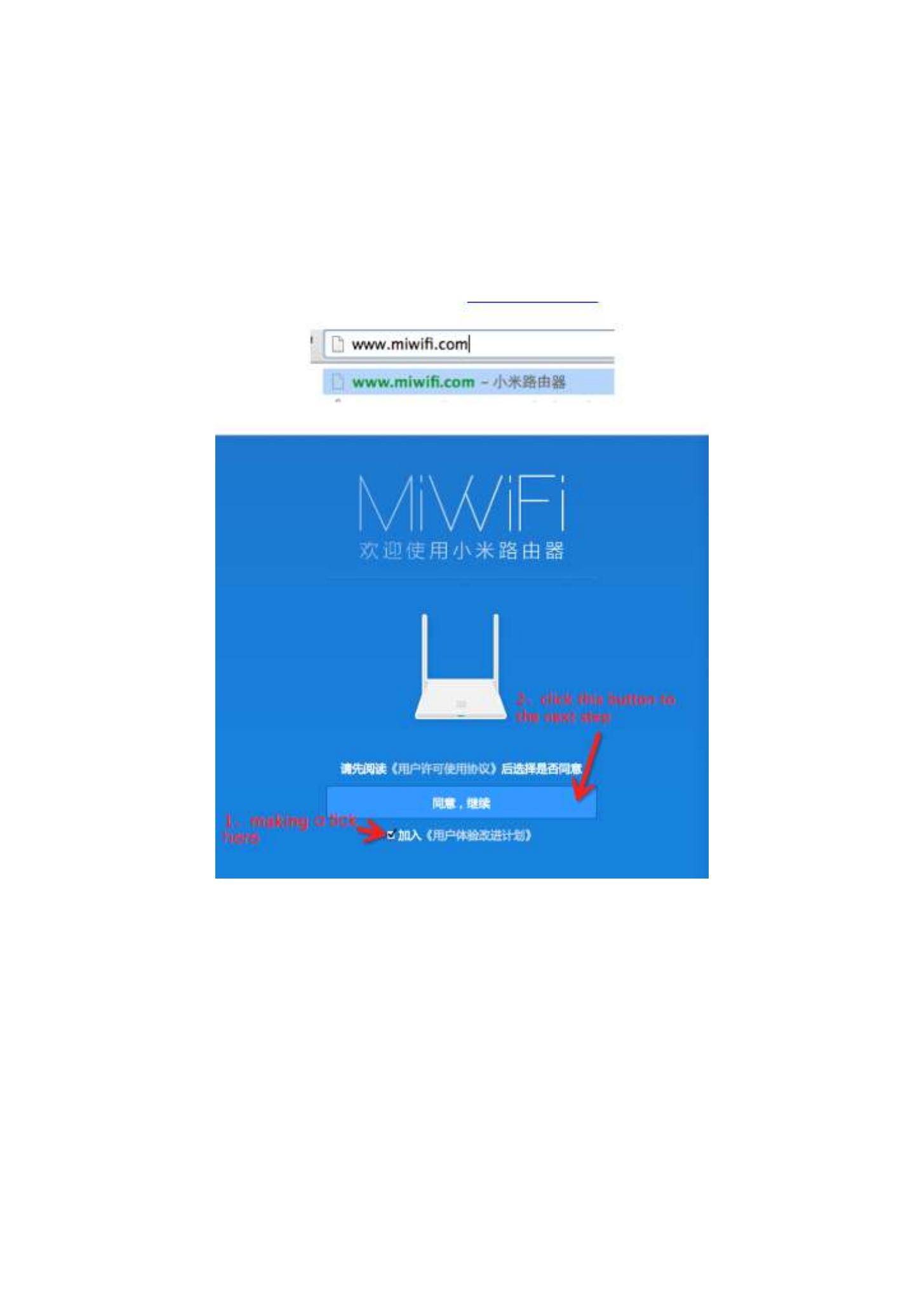
Step 3:open the browser and enter the url: www.miwifi.com
Step 4:set your router as following steps
XIAOMI-MI.COM
Rozwiązywanie problemów Xiaomi Mi WiFi Router Mini
Jeśli dokładnie przeczytałeś instrukcję, ale nie znalazłeś rozwiązania swojego problemu, poproś o pomoc innych użytkowników
Specyfikacje
| Marka: | Xiaomi |
| Kategoria: | router |
| Model: | Mi WiFi Router Mini |