Swan SR11025LN Instrukcja
Oto Swan SR11025LN (lodówka) instrukcja użytkownika. 12 strony w języku Angielski o wadze 2.3 Mb. Jeśli nie możesz znaleźć odpowiedzi na swoje pytanie Zapytaj naszą społeczność.
Strona 1/12
Mi Bunny Speaker
Accessories
Mi Bunny Speaker х 1
Overview
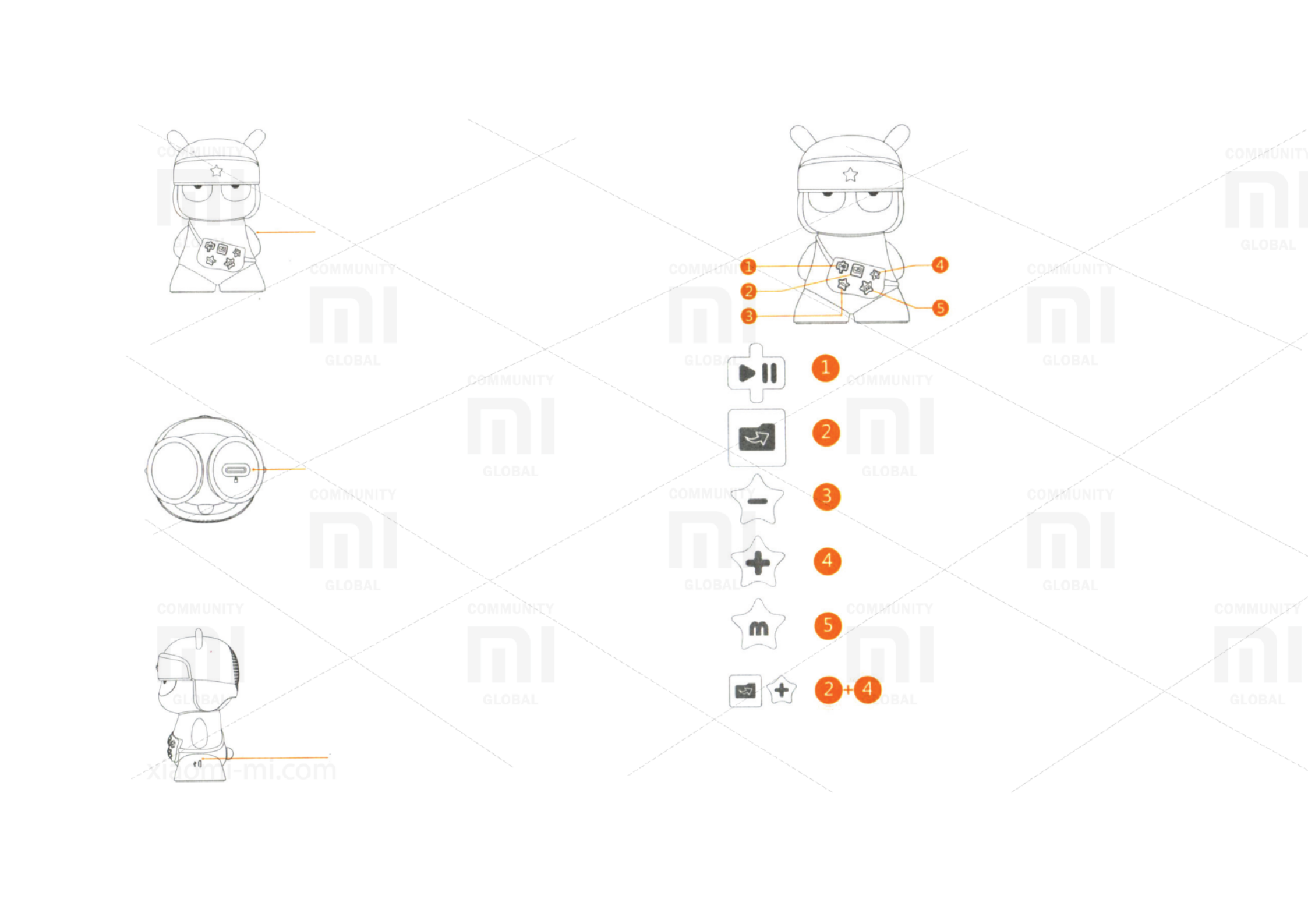
Micro SD slot
Charging port
Overview
Play/Pause
Long press: on/o device
Switch SD card folder
Long keypress: activate previous folder
Volume down
Long keypress: switch previous track
Volume up
Long keypress: switch next track
Switch les source (Bluetooth or SD card);
Long press: detection devices via Bluetooth
Charge level information
Press both buttons simultaneously
* Connect to new devices
Press and hold (1) for 2 seconds, then resume detection of Bluetooth device.
Select connection to pair devices.
* When downloading music on SD card by connecting a USB cable to your computer, press
the button (5) to turn the copy.
Rozwiązywanie problemów Swan SR11025LN
Jeśli dokładnie przeczytałeś instrukcję, ale nie znalazłeś rozwiązania swojego problemu, poproś o pomoc innych użytkowników
Specyfikacje
| Marka: | Swan |
| Kategoria: | lodówka |
| Model: | SR11025LN |